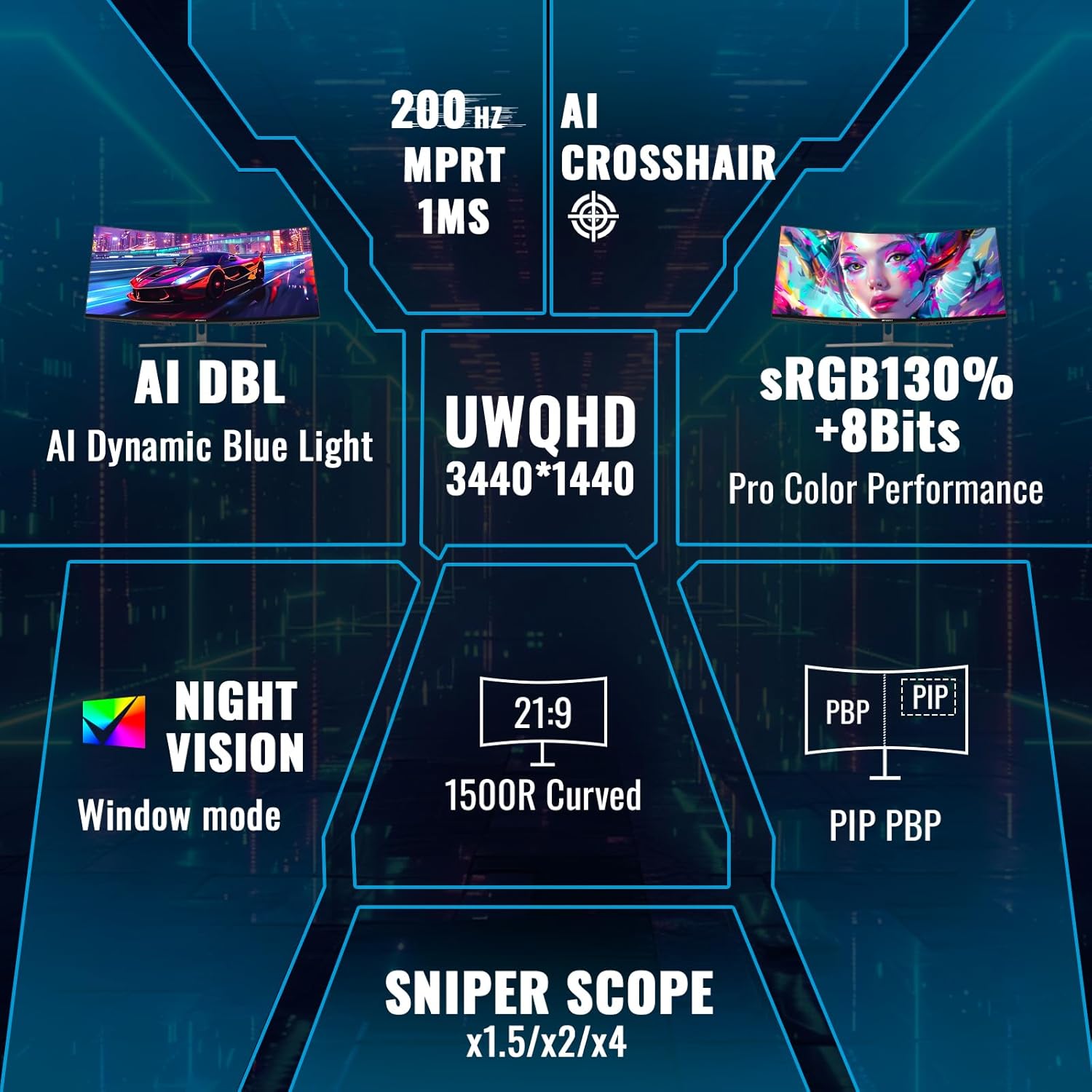
Your monitor is the one piece of hardware your eyes never leave. Everything else — the CPU crunching render frames, the GPU pushing polygons, the RAM shuffling data — is invisible. The display is the interface between all that computation and your actual human brain. So when people talk about “ultrawide” or “OLED” monitors, they’re really talking about two distinct upgrades that can work together or independently. An ultrawide monitor is simply a screen with a wider-than-usual aspect ratio — most standard monitors are 16:9 (roughly the shape of a TV), while ultrawides are typically 21:9 or 32:9, giving you significantly more horizontal space. OLED (Organic Light-Emitting Diode) is a display technology where each pixel generates its own light and can switch fully off, producing true blacks and extraordinary contrast. Together, these two features represent the most meaningful display upgrade most professionals and enthusiasts can make in 2026 — but they come with real tradeoffs in price, longevity, and workflow fit. This guide will help you decide whether either, or both, belongs on your desk.
Why Ultrawide Monitors Actually Change Your Workflow
The productivity case for ultrawides isn’t marketing fluff — it’s geometry. A standard 27-inch 16:9 monitor gives you one window with room for a sidebar, or two windows crammed shoulder to shoulder. A 34-inch 21:9 ultrawide gives you comfortably tiled triple-pane layouts without the bezel gap that plagues dual-monitor setups. Video editors using DaVinci Resolve or Premiere Pro report that the extra horizontal canvas keeps their timeline, preview, and effects panels visible simultaneously, eliminating the constant window-switching that fragments focus.
The 32:9 “super-ultrawide” format — essentially two 16:9 panels fused into a single curved slab — is a more extreme proposition. PCMag’s review coverage of the Samsung Odyssey Neo G9 and similar panels consistently notes that this format is genuinely transformative for tasks like financial modeling or multi-source video monitoring, but requires significant desk depth and a neck that’s comfortable rotating modestly side to side. It is not a universal recommendation.
For gamers, the case is different but equally real. Racing sims, flight simulators, and open-world titles built with ultrawide support deliver a peripheral-vision immersion that fundamentally changes the spatial feel of the game. Reviewers at Tom’s Hardware consistently flag that competitive shooters like CS2 or Valorant either crop the ultrawide image to 16:9 or give a field-of-view advantage that some tournament organizers ban outright — so know your genre before committing.
Curvature matters more than most buyers expect. Ultrawide monitors come with curvature ratings like 1800R or 1000R — the number refers to the radius of a circle in millimeters that matches the curve. A lower number means a tighter, more aggressive curve. RTINGS.com’s testing methodology notes that 1800R is generally comfortable at 34 inches, while tighter curves like 1000R on 49-inch panels can feel immersive for gaming but distort straight lines in photo or design work, where flat color fields and precise edges matter.
OLED: The Contrast Upgrade That’s Hard to Unsee
If ultrawide is about space, OLED is about depth. The core specification difference is contrast ratio. A high-quality IPS LCD panel — the type in most premium monitors — delivers a contrast ratio around 1,000:1 to 2,000:1, meaning the brightest white is about a thousand times brighter than the darkest black it can display. OLED panels produce what manufacturers call “infinite contrast” because individual pixels can switch fully off — the measured black is essentially zero, making bright highlights pop against absolute darkness in a way LCD cannot physically replicate.
The practical impact: color graders working in HDR (High Dynamic Range — a wider range of brightness and color than standard content) report that OLED shows them shadow detail and highlight clipping they simply cannot see on an LCD. Puget Systems’ display recommendations for video production workstations explicitly cite per-pixel illumination as a key advantage for HDR grading workflows. The same quality that makes sunsets look better in a movie trailer also makes black terminal windows, dark IDE themes, and game environments with torchlit dungeons look dramatically more legible.
The burn-in conversation is real but increasingly manageable. Early OLED monitors had legitimate longevity concerns — static interface elements like a taskbar or a persistent logo could leave a faint permanent ghost image after thousands of hours. Manufacturers including LG, ASUS, and Samsung have responded with dedicated pixel-refresh cycles, brightness management, and transparency layers in their 2025–2026 panels. Digital Trends’ OLED versus IPS comparison from 2025 concludes that for users who vary their content and maintain reasonable brightness settings (under 200 nits for extended sessions), burn-in risk over a 5-to-7-year ownership period is meaningfully lower than early-adopter experiences suggested. The risk is not zero — it remains elevated for anyone running a static HUD in a single game for thousands of hours, or leaving a static spreadsheet open all day at peak brightness.
By the Numbers
| Panel Type | Typical Contrast Ratio | Peak Brightness (HDR) | Burn-in Risk | Relative Price (34-inch class) |
|---|---|---|---|---|
| IPS LCD | 1,000–2,000:1 | 400–1,000 nits | None | $400–$900 |
| VA LCD | 3,000–6,000:1 | 400–600 nits | None | $350–$800 |
| OLED (QD-OLED / WOLED) | 1,000,000:1+ | 800–1,500 nits | Low–moderate | $700–$1,600 |
Source: aggregated from RTINGS.com panel measurements and manufacturer spec sheets, May 2026.
The Key Panels in 2026 and What Buyers Report
Two OLED panel technologies dominate the high-end monitor market right now. QD-OLED (Quantum Dot OLED, used in panels from Samsung Display and deployed in monitors from Samsung, ASUS, and Dell Alienware) layers quantum dots over the OLED backplane to extend color volume and peak brightness. WOLED (White OLED, used in LG Display panels and found in LG’s own UltraGear line and others) takes a different approach, adding a white subpixel to improve brightness efficiency. RTINGS.com’s comparative panel analysis notes that QD-OLED panels currently lead in color saturation for creative work, while WOLED panels have historically shown slightly lower risk of image retention in static-content scenarios — though the gap continues to narrow with each generation.
For creative professionals making a capital investment, the LG UltraGear 34-inch QD-OLED and the ASUS ROG Swift OLED PG34WCDM are the two monitors reviewers at The Verge and PCMag return to most frequently in the 34-inch 21:9 category. Owners consistently report that the color accuracy out of the box — measured in Delta-E, a number representing how far a displayed color is from its target, where lower is better — is competitive with dedicated color-calibration monitors at twice the price. For the 27-inch 16:9 professional who wants OLED without the ultrawide commitment, the LG UltraGear 27GS95QE and ASUS ProArt PA27DCE-K represent the creative-professional OLED tier, with the ProArt variant targeting color accuracy over refresh rate.
Gamers prioritizing frame rate over color fidelity are well served by the Samsung Odyssey OLED G8 and Alienware AW3423DWF, both of which support 165–175 Hz refresh rates (meaning the image updates up to 175 times per second, critical for smooth motion in fast games) alongside their OLED contrast advantages. Tom’s Hardware’s buyer’s guide consistently places the Alienware AW3423DWF among the top ultrawide recommendations for its combination of QD-OLED image quality, G-Sync Compatible certification, and competitive street pricing relative to its panel class.
How to Make the Decision: A Clear Framework
Here is where you draw the line.
If you edit video, grade color, or work in any HDR-centric creative pipeline: OLED is worth the premium. The contrast accuracy changes what you can see, not just what looks pretty. Pair it with the 34-inch 21:9 form factor for timeline real estate. Budget $900–$1,400 for a current-generation QD-OLED panel. Burn-in risk is manageable with modern refresh features and sensible brightness habits.
If you’re a competitive gamer in reflex-based genres (shooters, fighting games, MOBAs): The ultrawide aspect ratio may actively hurt you in non-supported titles. A fast 27-inch 1440p OLED at 240 Hz will serve you better than a 34-inch 175 Hz ultrawide. Prioritize refresh rate and response time over horizontal real estate.
If your workflow is primarily text, code, or spreadsheets with occasional media consumption: A 34-inch ultrawide IPS LCD in the $500–$800 range is almost certainly the smarter spend. OLED’s strengths are largely wasted on white-background documents, and the higher static-content exposure increases burn-in risk. Save the OLED budget for a GPU or RAM upgrade that actually accelerates your work.
If you’re a 3D artist or motion graphics designer who lives inside Blender, Cinema 4D, or After Effects: You sit at the intersection where both technologies earn their price. The ultrawide canvas keeps viewport, timeline, and node graph visible simultaneously. The OLED contrast helps you evaluate lighting and material work more accurately. Owners in this workflow who’ve made the switch describe it as one of the clearest productivity upgrades they’ve made to a physical workspace.
If your desk is shallow or your room is small: Measure before you buy. A 34-inch ultrawide panel wants to sit roughly 80–100 cm from your eyes for comfortable viewing. A 49-inch super-ultrawide needs even more distance and a wider desk than most home offices accommodate. RTINGS.com’s viewing distance calculator (available on their site) is the tool to check before any large panel purchase.
One financial frame worth keeping in mind: at current 2026 market pricing, the gap between a premium IPS ultrawide and an entry OLED ultrawide has narrowed to roughly $300–$500 in the 34-inch class. That delta, spread across a five-to-seven-year ownership cycle, is less than $100 per year. For professionals whose output quality is directly tied to what they can see on screen, that math tends to favor the OLED. For casual or mixed-use buyers, it tends not to.
The display is the one component you interact with every single minute you’re at your desk. Getting it right is worth more deliberation than almost any other line item in a build — and in 2026, the combination of mature OLED panels and genuinely useful ultrawide real estate means the right answer for most serious users is closer than it’s ever been.