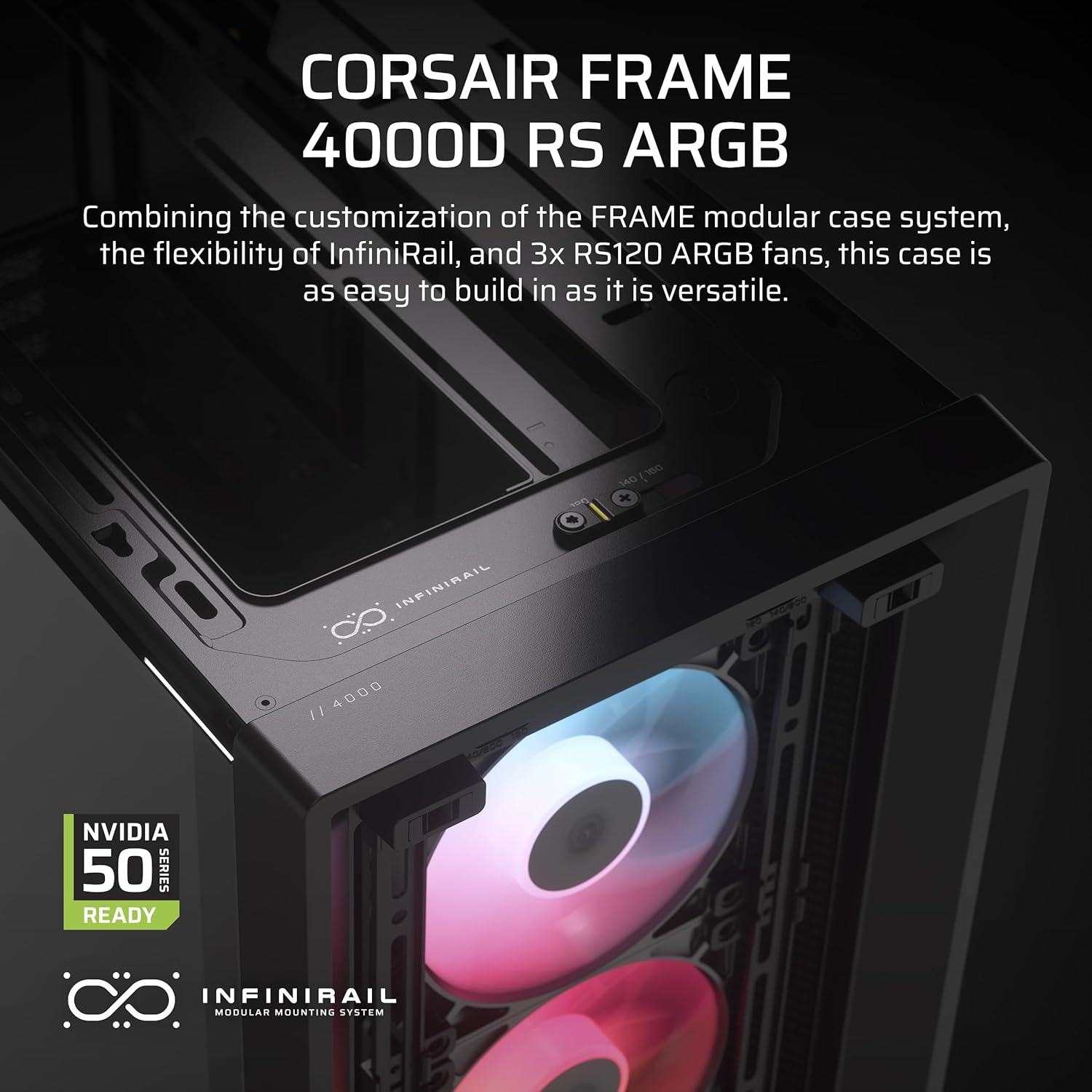
A PC case — the metal-and-plastic shell that holds all your computer’s components together — might seem like one of the less exciting decisions in a build. But if you’ve ever watched a GPU (graphics card) throttle itself because hot air had nowhere to go, or spent an afternoon fighting a cable that was three inches too short because the case gave no room to work, you already know: the enclosure is infrastructure. A mid-tower case, specifically, is the most common form factor (physical size category) for desktop builds. It’s large enough to fit powerful components — a full-size ATX motherboard, a 360mm radiator, a triple-slot GPU — while staying compact enough to sit on or under a desk without dominating a room. This guide explains how airflow architecture actually works inside these cases, what the aesthetic choices cost you in real-world performance, and how to verify compatibility before you buy.
Airflow Architecture: Pressure, Path, and Where It Goes Wrong
The fundamental goal of any PC case is to move heat — generated by your CPU, GPU, RAM, and storage — out of the enclosure before it builds up. How well a case does that comes down to its airflow architecture: the physical arrangement of fan mounts, vents, and internal obstructions that determines where air enters, where it exits, and how efficiently it travels between those two points.
Positive vs. Negative Pressure
Most mid-towers are designed around one of two pressure strategies. Positive pressure means more air is being pushed into the case than is being pulled out. You achieve this by installing more intake fans than exhaust fans, or by using higher-CFM (cubic feet per minute — a measure of how much air a fan moves) intakes. Positive pressure tends to reduce dust accumulation because air is constantly leaking out of gaps rather than pulling dusty room air through unfiltered cracks. Negative pressure is the opposite — more exhaust than intake — which can run cooler in some configurations but draws unfiltered air in from every seam in the case.
In practice, reviewers at Tom’s Hardware consistently note that a slight positive pressure bias (more intake airflow than exhaust, but not by an extreme margin) is the safest default strategy for most mid-tower builds. It keeps dust manageable and avoids hot-spot recirculation.
Front-Intake, Mesh-Panel Design
The dominant airflow paradigm in mid-towers as of mid-2026 is the mesh-front intake layout. Cases like the Fractal Design Meshify 2, the Lian Li Lancool III, and the be quiet! Silent Base 802 use large perforated or mesh panels at the front to allow high volumes of cool air to enter, push it across the GPU and CPU, and exhaust it out the rear and top. Digital Trends’ 2025 mid-tower roundup consistently points to mesh-front cases as the performance leaders in thermal testing across categories, noting that glass-front alternatives can suppress intake airflow by 20–40% depending on panel gap design.
The tradeoff is immediate: mesh fronts are louder than glass or solid panels because they don’t muffle fan noise. If acoustic isolation matters to your workspace — video editors running client calls, music producers recording in the same room — that tradeoff is real and shouldn’t be ignored.
Top and Rear Exhaust: Chimney Effect
Hot air rises. A mid-tower that places exhaust fans at the top and rear of the chassis is leveraging convective physics — the chimney effect — to assist fan airflow. Cases with a sealed, non-vented top panel (common on aesthetic-first designs) forfeit this natural assist and require fans to work harder to achieve equivalent exhaust volume. Puget Systems’ thermal notes on case selection describe this as a meaningful difference in CPU and GPU sustained load temperatures, particularly in dense builds where multiple high-TDP (thermal design power — how much heat a component generates) components are running simultaneously.
By the numbers:
- Mesh-front cases typically deliver 5–12°C lower GPU temps under sustained load vs. solid-front alternatives, per aggregated review data from Tom’s Hardware and PC Mag’s 2025 case evaluations.
- A standard 120mm fan moves approximately 40–80 CFM depending on RPM and blade design; a 140mm fan moves 20–30% more air at equivalent noise levels.
- Mid-tower cases commonly support 2–6 fan mounts; premium mid-towers (Fractal Torrent, Lian Li O11 Dynamic EVO) extend to 8 or more.
Aesthetic Choices and What They Actually Cost You
The mid-tower market has bifurcated sharply. One branch prioritizes airflow engineering above everything else. The other prioritizes visual presentation — tempered glass side panels, RGB (red-green-blue addressable lighting) integration, minimalist aluminum faceplates — and makes thermal compromises to get there.
Neither direction is wrong. The question is whether the tradeoff is explicit in your buying decision.
Tempered Glass Side Panels
Almost every mid-tower priced above $80 ships with at least one tempered glass panel on the left side, letting you see the components inside. This is largely cosmetic but has a secondary benefit: visible cable routing and component placement make troubleshooting faster. The cost is minor — glass adds weight and makes the case slightly less forgiving if dropped during transport.
More relevant is when manufacturers use dual glass panels (left and right sides) combined with a solid or near-solid front panel. This configuration turns the interior into a partially sealed box, reducing the chimney effect and restricting intake volume. Tech Radar’s 2025 case guide flags this explicitly in reviews of some Corsair and NZXT designs, recommending that buyers verify front-panel airflow specifications before assuming an attractive case will also run cool.
RGB Integration and Fan Ecosystems
Preinstalled RGB fans look compelling in product photography and are genuinely satisfying to configure if you enjoy that aesthetic. The practical consideration is ecosystem lock-in: fans controlled by a proprietary hub (ASUS Aura, MSI Mystic Light, Corsair iCUE) often require the matching motherboard headers or controllers to function as intended. Owners across aggregated reviews consistently report frustration when mixing brands — an MSI motherboard with Corsair case fans, for example, may require running two separate lighting applications simultaneously to control everything.
If you’re planning a tightly integrated build around a single platform (all-ASUS, all-Corsair), ecosystem RGB is a legitimate quality-of-life investment. If you’re mixing components from different manufacturers — the more common scenario — look for cases that include ARGB fans with a universal 5V 3-pin header, which most modern motherboards support natively.
The “Quiet Case” Category
Cases marketed specifically around acoustic performance — the be quiet! Silent Base series, Fractal Design’s Define series — use dense foam lining and partially sealed panels to suppress fan and component noise. They work. The thermal tradeoff is real: reduced panel perforation means reduced airflow. PC Mag’s 2025 review of the Fractal Define 7 notes that it runs measurably warmer than the Meshify 2 under equivalent fan configurations, but that for moderate workloads and builds that aren’t pushing high-TDP components, the noise reduction is worth it.
The “if X, then Y” logic here is clean: if your build peaks around a 65W CPU and a mid-range GPU, a quiet case is a reasonable tradeoff. If you’re housing a Core i9-14900K or AMD Ryzen 9 9950X with an RTX 4090, a quiet case will either require substantially faster (and louder) fans to compensate, or it will simply run hotter.
Build Compatibility: Measure Before You Buy
Aesthetic and airflow decisions collapse into irrelevance if the components you’ve specified don’t physically fit. Mid-towers vary more in internal clearances than their shared category name suggests, and checking these four specifications against your parts list before ordering saves significant frustration.
Motherboard Form Factor Support
Standard mid-towers support ATX motherboards (30.5 × 24.4 cm), the most common size for full-feature desktop builds. Most also support Micro-ATX (24.4 × 24.4 cm) and Mini-ITX (17 × 17 cm) as smaller alternatives. If you’re building on E-ATX (Extended ATX, typically 30.5 × 33 cm), confirm explicitly — not all mid-towers accommodate it, and those that do often sacrifice a drive bay or cable-management space to fit.
GPU Length Clearance
Graphics cards have grown substantially in physical size over the 2023–2026 generation. Cards like the NVIDIA RTX 5090 and AMD Radeon RX 9070 XT commonly reach 330–360mm in length and use three-slot cooler designs. Manufacturers publish maximum GPU length clearance in their specifications. Tom’s Hardware’s case reviews consistently flag cases where published clearance numbers don’t account for a front fan or radiator installation — meaning your actual usable GPU clearance may be 20–40mm shorter than the spec sheet implies when a front radiator is installed.
Check the spec, then check a forum build log or review that tested your specific GPU-plus-radiator combination in that case.
CPU Cooler Height
Tower air coolers — the kind with large heatsinks and one or two fans mounted to cool the CPU — have grown tall. The Noctua NH-D15 and be quiet! Dark Rock Pro 5 both exceed 165mm in height. Standard mid-towers clear 160–170mm; compact mid-towers (SFF-adjacent designs) may limit you to 155mm or less. Measure before ordering.
Radiator Mounting (If You’re Water Cooling)
All-in-one liquid coolers (AIOs — pre-assembled water cooling loops with a pump, tubing, and radiator) are increasingly common in mid-range and high-end builds. A 240mm radiator (two 120mm fans) fits in most mid-towers. A 360mm radiator (three 120mm fans) requires explicit front or top support — not all mid-towers provide it, and those that do may require removal of drive cages or limit your GPU options.
Puget Systems’ workstation build guides consistently recommend mapping your cooling configuration — air vs. AIO vs. custom loop — before selecting a case, rather than after.
Decision Framework: Matching Case to Build
If you’re running a content creation or machine-learning workstation with a high-TDP CPU and a flagship GPU, prioritize mesh-front airflow architecture above all else. Thermal headroom directly translates to sustained performance — and sustained performance is your output quality. The Fractal Design Meshify 2, Lian Li Lancool III, and Fractal Torrent represent the current consensus picks in this category, per Tom’s Hardware and Digital Trends’ 2025 evaluations.
If your build is enthusiast-tier but acoustics matter in your space — streaming, recording, hybrid home-office — a quiet case with upgraded high-static-pressure fans is a defensible tradeoff, provided your component TDP stays moderate.
If visual cohesion and RGB integration are genuine priorities (a showcase build, a streaming setup where the rig is on camera), select your case ecosystem first and verify thermal adequacy second — not the other way around.
The through-line across all three: check GPU clearance, CPU cooler height, and radiator mounting compatibility against your actual parts list before the order ships. Every dimension on a spec sheet is knowable in advance. The only builds that run hot or don’t close properly are the ones where someone skipped that step.