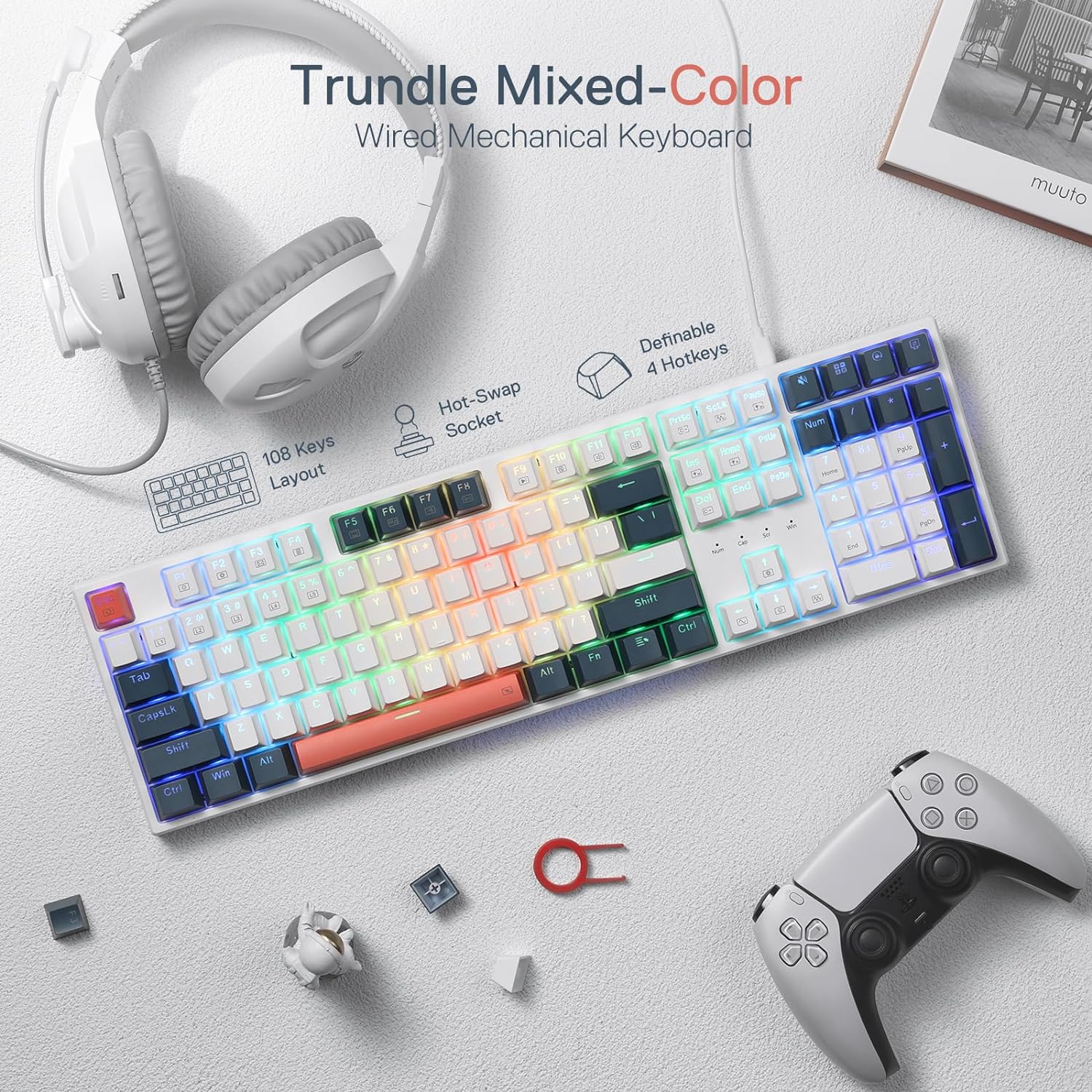
If you’ve ever wondered why some keyboards make a crisp click when you type while others feel mushy or silent, the answer lives inside each key: a small spring-loaded mechanism called a switch. A mechanical keyboard is simply one where every key has its own individual switch rather than the membrane sheet found under the keys of most budget keyboards. That distinction sounds minor until you spend eight hours a day at a workstation — then the feel, sound, and precision of every keystroke starts to matter quite a lot. This guide walks you through the three major switch families, the tradeoffs between keyboard sizes (called form factors), and a feature called hot-swap that can save you real money by letting you change switches without soldering. Whether you’re building a $3,000 PC and need a keyboard that matches it, or you’re just tired of the spongy stock keyboard that came with your desk setup, here’s what you actually need to know.
| EDITOR'S PICK[Logitech MX Mechanical Wireless](https://www.amazon.com/dp/B09LK1P1RD?tag=greenflower20-20)… | Mid-tier[SteelSeries USB Apex 5 Hybrid M](https://www.amazon.com/dp/B07ZGDD6B1?tag=greenflower20-20)… | Budget pick[Redragon K668 RGB Gaming Keyboa](https://www.amazon.com/dp/B0CF3VGQFL?tag=greenflower20-20)… | |
|---|---|---|---|
| Switch Type | Tactile Quiet | Hybrid Blue | Red |
| Connectivity | Bluetooth, USB-C | USB (Wired) | USB (Wired) |
| Hot-swappable | — | — | ✓ |
| Price | $131.56 | $79.99 | $32.99 |
| See on Amazon → | See on Amazon → | See on Amazon → |
Switch Types: The Decision That Shapes Everything Else
Switch choice is the first fork in the road, and it affects every hour you spend at the keyboard. The industry groups switches into three broad categories based on how they feel and sound when actuated (pressed down far enough to register a keystroke).
Linear Switches
Linear switches travel straight down with no tactile bump and no audible click — the force curve is smooth from top to bottom. They’re the default choice for gaming because rapid key repeats feel cleaner without a bump interrupting the stroke. The two most widely referenced linears are Cherry MX Red (45g actuation force, 2mm actuation point) and its lighter sibling Cherry MX Speed Silver (45g, 1.2mm). Budget-friendly alternatives from Gateron — the Gateron Yellow and Gateron Red — are frequently cited in Tom’s Hardware reviews as smoother out of the box than stock Cherry Reds at roughly half the price per switch.
The tradeoff: linears are the most commonly mis-pressed switch type for touch typists, because there’s no tactile feedback telling your fingers they’ve done their job. Programmers and writers who spend more time typing prose than gaming often find them fatiguing over long sessions.
Tactile Switches
Tactile switches have a noticeable bump partway through the keystroke — your finger registers a small resistance peak right at actuation. This feedback loop trains faster typing because you stop bottoming out (pressing all the way to the floor of the key) on every stroke. The gold standard here is the Cherry MX Brown, which dominates office keyboard sales partly because it’s not too loud for shared spaces. Reviewers at PC Mag consistently note Browns as the “safe middle ground” recommendation, though enthusiast communities tend to find them underwhelming — the bump is subtle enough that experienced typists often migrate to heavier tactile options.
Topre switches, found in keyboards like the Happy Hacking Keyboard (HHKB) and Realforce boards, occupy a premium niche: electrostatic capacitive mechanism with a uniquely deep, rounded tactile bump. Rtings.com’s keyboard methodology notes that Topre boards are consistently rated among the highest for typing feel but carry a significant price premium — expect $200–$350 for a board, and Topre is not a hot-swap-compatible ecosystem without specialized modifications.
For builders who want a more pronounced tactile response at a reasonable price, Gateron Brown and the enthusiast-favorite Boba U4 (a 62g, silent tactile switch from Gazzew) consistently appear in Rtings.com aggregated ratings as high-satisfaction options for all-day typing.
Clicky Switches
Clicky switches add an audible snap at actuation — physically, a small plastic piece called a click jacket produces the sound. Cherry MX Blue (50g, 2mm) is the archetype. The Verge’s keyboard coverage routinely flags the practical reality: clicky switches are satisfying for solo use, genuinely disruptive in open offices and on video calls, and borderline antagonistic in shared spaces. If your workflow involves daily calls or a coworking setup, clickies are a hard tradeoff to justify unless you’re working alone or using a headset that mutes keyboard noise.
By the numbers:
| Switch Type | Typical Actuation Force | Actuation Point | Sound Level |
|---|---|---|---|
| Cherry MX Red (linear) | 45g | 2.0mm | Quiet |
| Cherry MX Brown (tactile) | 45g + bump | 2.0mm | Moderate |
| Cherry MX Blue (clicky) | 50g | 2.0mm | Loud |
| Gateron Yellow (linear) | 35g | 2.0mm | Very quiet |
Form Factors: How Much Keyboard Do You Actually Need?
The second major decision is size. The number of keys on a keyboard is expressed as a percentage of a full 104-key layout. This isn’t just aesthetics — it’s desk real estate, ergonomics, and workflow compatibility.
Full-Size (100%)
The classic layout with number pad included. For data-heavy workflows — accountants, financial modelers, developers who live in spreadsheets — the number pad earns its footprint. The downside: your mouse sits farther to the right, which creates shoulder extension over long sessions. Most professional review sources, including Tom’s Hardware and PC Mag, note that full-size boards have lost significant market share among PC enthusiasts precisely because of this ergonomic tradeoff.
Tenkeyless / TKL (80%)
Removes the number pad while keeping the function row, navigation cluster, and arrow keys intact. This is the practical sweet spot for most PC builders and workstation users. You recover 3–4 inches of horizontal desk space, your mouse comes in closer, and you lose almost nothing — number pad usage is rarer than most people assume until they actually track it. The Keychron Q3 Pro (a well-reviewed TKL with QMK/Via programmability) and the Ducky One 3 TKL are frequently cited in Tom’s Hardware and Rtings.com roundups as the category leaders at their respective price points.
65% and 75%
These compact layouts drop the function row (65%) or shrink it significantly (75%), while keeping arrow keys and a compressed navigation cluster. Popular among developers who use keyboard shortcuts mapped to layers — effectively pressing a “function” key to access F1–F12 on number keys. The Keychron K6 Pro (65%) and Keychron Q1 Pro (75%) are consistently high on aggregated satisfaction scores. The tradeoff is a real learning curve: if you rely on F-keys directly for Adobe Premiere shortcuts or 3D modeling tools in Blender, a 65% layout requires remapping muscle memory.
40% and Ortholinear
These are enthusiast-specialist territory. A 40% board has no number row and no function row; everything runs through layers. Mentioned here for completeness — this isn’t a beginner or even intermediate starting point for most workflows.
Hot-Swap: The Feature That Changes the Economics
Hot-swap refers to a keyboard PCB (the circuit board inside the board) that accepts switches in sockets rather than requiring them to be soldered permanently in place. You press a switch in; you pull it out with a small tool; you press a different switch in. The whole operation takes under a minute per key and requires no soldering iron, no flux, no technical skill beyond patience.
Why does this matter? Because switch preference is genuinely hard to predict from spec sheets and YouTube sound tests. Reviewers at The Verge and Tom’s Hardware have both noted this consistently: the switch you think you want after reading about it and the switch you actually want after 40 hours of typing are sometimes different. A hot-swap board turns a wrong decision into a $30 correction (the cost of a new set of switches) rather than a $150 mistake (buying a new board).
The economics for builders are straightforward:
- A soldered board with your current favorite switches: cheaper upfront, inflexible
- A hot-swap board with an upgrade path: typically $20–$50 more at purchase, but the platform is reusable across multiple switch generations
For someone investing $3,000+ in a custom PC build, spending an extra $30–$50 on a hot-swap board to protect against switch regret is easy math. The Keychron Q-series and V-series boards, the Ducky One 3, and the popular Glorious GMMK Pro are all flagged by PC Mag and Rtings.com as accessible hot-swap options at different price tiers.
One caveat worth naming: not all hot-swap sockets are created equal. The most common socket standard, Kailh hot-swap, is rated by the manufacturer for approximately 100 insertion cycles — more than enough for casual exploration, but worth knowing if you’re swapping frequently. Some premium boards use reinforced PCB designs to extend socket longevity.
Putting It Together: The If/Then Decision Framework
This is where the comparisons collapse into a choice. Here’s the decision tree based on the tradeoffs covered above:
If you’re a PC builder who games heavily and types moderately: Linear switches (Gateron Yellow or Cherry MX Red), TKL form factor, hot-swap PCB. The Keychron V3 Max or Ducky One 3 TKL are the builds to benchmark against.
If you’re a workstation user — video editor, 3D artist, developer — typing 6+ hours a day: Tactile switches (Boba U4 for quiet offices, Cherry MX Brown for conventional; Topre if you want the premium ceiling), TKL or 75% form factor to bring your mouse in, hot-swap highly recommended. The Keychron Q3 Pro or Q1 Pro are the category references here, per Tom’s Hardware and Rtings.com coverage.
If you’re in a shared office or open floor plan: Silent tactile (Boba U4) or silent linear (Gateron Silent Yellow) — clicky switches are a coworker relationship risk. This isn’t a technical tradeoff; it’s a social one.
If you’re unsure about switches and this is your first mechanical keyboard: Buy hot-swap. It’s the one decision that removes all downstream risk. Start with Gateron Browns (widely available, forgiving, uncontroversial) and swap from there.
If you want the enthusiast ceiling for a high-end build: A 75% hot-swap board with Boba U4 tactiles or a premium linear like the Gateron Oil King (frequently praised in Rtings.com community data for its factory-lubed smoothness) is the combination that shows up most consistently at the top of aggregated satisfaction ratings as of mid-2026.
The switch market has matured significantly over the last three years — per PC Mag’s 2025 buying guide, the number of viable switch options under $0.50/switch has roughly doubled since 2022, largely driven by Chinese manufacturers like Gateron, Akko, and Tecsee producing factory-lubed options that previously required enthusiast DIY work. That’s broadly good news for builders: the entry price to a genuinely great typing experience has dropped, and hot-swap makes the path to “great” shorter than it’s ever been.
The keyboard is the interface you touch thousands of times a day. For a builder who’s deliberated over CPU thermal paste and PCIe slot configuration, giving it thirty minutes of deliberate thought is a return worth collecting.