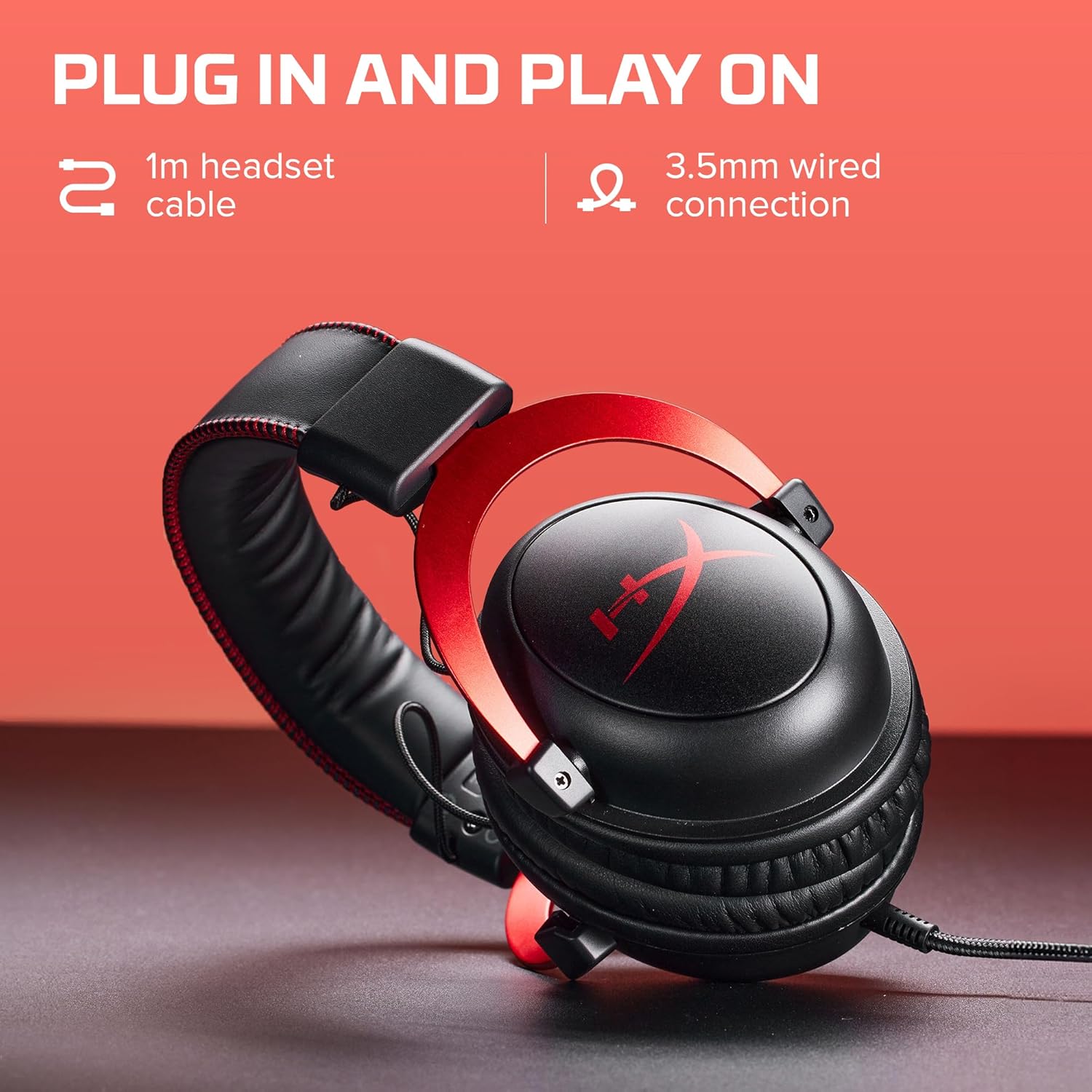
A gaming headset is exactly what it sounds like — headphones with a built-in microphone, designed for the specific demands of playing video games. Unlike music headphones that optimize for a flat, audiophile-pleasing sound, gaming headsets tend to prioritize two things: hearing in-game spatial cues (footsteps, gunshots, enemies moving to your left) and communicating clearly with teammates through a mic. The result is a $30-to-$285 product category where price differences are real but not always obvious, and where buying the wrong tier for your situation means either wasting money or leaving real competitive and quality gains on the table. This guide will show you exactly where those gaps are, what they’re worth paying for, and which decision to make based on your platform, genre, and how seriously you play.
The Five Tiers — And What Each One Actually Buys You
The price ladder in gaming headsets breaks naturally into five bands. Understanding what changes between bands matters more than chasing specs.
$30–$60 — Entry. At this tier you’re buying basic stereo audio (two-channel sound, left and right ear) over a wired USB or 3.5mm connection. Build quality is plastic-heavy. Mic quality is functional but not flattering — you’ll sound tinny to teammates. Drivers (the small speaker components inside each ear cup) are typically 40mm units with no acoustic tuning. Reviews aggregated at RTINGS.com consistently show this tier delivering acceptable clarity for casual play but poor microphone performance and uncomfortable long-session fit. Best for: younger family members, very occasional players, anyone unsure if gaming audio matters to them yet.
$60–$100 — The Practical Sweet Spot. This is where the quality curve kinks upward sharply. Manufacturers can afford better foam padding, fleather (faux leather) or fabric ear cushions that don’t overheat, and — most importantly — better mic capsules with noise filtering. Wired models here are strong; wireless models exist but battery life is shorter and wireless implementation is basic. Per Tom’s Hardware’s Best Gaming Headsets guide, the $60–$100 range is where the majority of their recommended picks for “casual-to-moderate” players land, specifically because build and audio quality both cross a meaningful threshold without the cost of premium features most players don’t need.
$100–$150 — Platform-Specific Optimization. At this band, headsets start being designed for specific platforms — PlayStation, Xbox, Nintendo Switch, or PC — rather than built generically. You see PlayStation-licensed headsets with Tempest 3D Audio support (Sony’s spatial audio system for PS5), Xbox Wireless protocol support (Microsoft’s proprietary low-latency wireless standard), and multipoint Bluetooth (the ability to be paired to two devices simultaneously). Microphone quality improves noticeably here: retractable or flip-to-mute boom mics become common, and background noise rejection gets genuinely useful. Reviewers at The Wirecutter note this tier as their recommended entry point for anyone gaming more than three sessions per week.
$150–$200 — Wireless Done Right. The defining leap at this tier is wireless implementation. Budget wireless (under $120) frequently uses Bluetooth, which introduces latency (delay between a sound happening in-game and your ears hearing it) that trained players can feel. At $150+, most quality headsets switch to proprietary 2.4 GHz USB dongles — a wireless standard with latency low enough (sub-20ms typically) that it’s effectively indistinguishable from wired. This tier also introduces better driver tuning, meaningful surround sound processing on PC, and often the ability to use the headset simultaneously on two devices. Battery life jumps to 20–30 hours in most cases. PCMag’s gaming headset rankings in 2025 consistently placed wireless models in this range as “the minimum we’d recommend for serious competitive play.”
$200–$285 — Flagship. At the top, you’re paying for three things simultaneously: premium acoustic tuning (some headsets use parametric EQ profiles designed by audio engineers, not just boosted bass), best-in-class microphone performance comparable to standalone USB mics, and materials quality — aluminum headbands, memory foam ear cushions, woven cables — that holds up to daily use for years. TechRadar’s 2025 flagship headset roundup notes this tier is genuinely separating itself from mid-range on mic quality specifically, with lossless 2.4 GHz audio becoming available in select models. For streamers or anyone whose teammates regularly comment on audio quality, the mic delta here is worth the premium.
By the Numbers
| Price Tier | Connection | Latency Profile | Mic Quality | Battery (Wireless) |
|---|---|---|---|---|
| $30–$60 | Wired only | None (wired) | Basic | N/A |
| $60–$100 | Wired / basic BT | ~100ms (BT) | Adequate | 8–15 hrs |
| $100–$150 | Wired + 2.4GHz dongles appear | Sub-40ms | Good | 15–20 hrs |
| $150–$200 | 2.4GHz dominant | Sub-20ms | Very good | 20–30 hrs |
| $200–$285 | 2.4GHz / lossless | Sub-20ms or wired-grade | Excellent | 25–38 hrs |
Matching Tier to Platform and Genre — The Decision Frame
Knowing the tier differences is only useful if you map them to your actual situation. Here’s the framework that makes the decision concrete.
If you’re on console (PS5 or Xbox Series X/S) and play mostly story or single-player games: Platform-native audio is doing heavy lifting here. The PS5’s Tempest 3D Audio engine, for example, creates convincing spatial sound without dedicated hardware — but you need a headset that can properly decode it. Any headset in the $80–$150 range with proper PlayStation licensing will unlock that experience. Going higher isn’t wrong, but the incremental gain is smaller than it would be for a competitive multiplayer player. The SteelSeries Arctis Nova 7P, consistently reviewed well by Digital Trends and RTINGS, sits in this tier and represents the kind of platform-matched value worth considering.
If you play competitive multiplayer (FPS games like shooters or battle royales) on PC: This is the scenario where audio quality most directly affects outcomes. Hearing footsteps, identifying direction, and reacting to audio cues are part of the skill set. For this player, low-latency 2.4 GHz wireless or wired at $100–$150 minimum is the honest recommendation. The HyperX Cloud III and Logitech G Pro X headsets are names that appear repeatedly in Tom’s Hardware and PCMag roundups at this tier as competitive-focused picks, praised specifically for accurate soundstage (the sense of audio coming from a three-dimensional space) and mic intelligibility. If budget allows, the $150–$200 range adds wireless without compromise.
If you stream or create content alongside gaming: The microphone is load-bearing in a way it isn’t for a purely private player. Teammates can tolerate a mediocre mic; an audience cannot. At this use case, the $200–$285 tier becomes defensible math: a standalone USB microphone to replace a bad headset mic costs $60–$100 anyway, and a flagship headset that eliminates that purchase can justify its price. The SteelSeries Arctis Nova Pro and the Astro A50 X are frequently cited at the top of RTINGS’ mic performance rankings for gaming headsets at this price point.
If you play on multiple platforms (PC + console, or PC + mobile): Multipoint connectivity — the ability to be wirelessly paired to multiple devices simultaneously — changes which headsets to consider. This feature is rarely present below $100 and is inconsistently implemented below $150. The Corsair Virtuoso RGB Wireless XT and the Razer BlackShark V2 HyperSpeed are examples noted by TechRadar as offering reliable multiplatform switching in the $130–$180 range.
If you’re buying for a younger or first-time gamer: Durability and comfort-for-smaller-heads matter more than audio tuning. Spending above $80 is genuinely hard to justify at this use case. At $50–$75, the Razer Kraken X and HyperX Cloud Stinger 2 are frequently recommended as durable, comfortable starter options by both PCMag and Wirecutter, specifically because they hold up to the kind of handling younger users apply.
The Tradeoffs Nobody Tells You Upfront
Surround sound is mostly a software feature, not a hardware one. Many headsets at $60+ advertise “7.1 surround sound” — a term borrowed from home theater setups with seven physical speakers. In a headset, this is almost always simulated through software processing (called virtual surround or spatial audio), not physical drivers. On PC, this works reasonably well. On console, the platform’s own spatial audio system (Tempest on PS5, Windows Sonic or Dolby Atmos on Xbox) often outperforms a headset’s proprietary version. The practical takeaway: don’t pay a significant premium for a headset’s branded surround sound claim unless reviewers at RTINGS specifically note that its implementation is above average.
Wired isn’t a downgrade — for competitive players, it’s sometimes optimal. The fastest possible audio path is still wired. If you’re a competitive PC player who doesn’t move around, a wired headset at $80–$130 can match the audio and mic quality of a $180 wireless model and outperform it on latency and reliability. Wireless convenience matters more for console players on a couch than for PC players at a desk.
Ear cushion material affects long sessions more than almost anything else. Reviews across RTINGS and Digital Trends consistently surface the same pattern: players who game for 2+ hour sessions report comfort as their primary source of long-term satisfaction or dissatisfaction. Memory foam cushions with fabric covers run cooler than pleather. Pleather isolates better against external noise but becomes uncomfortable faster. For long-session players, this tradeoff — not audio specs — is often what actually determines whether a headset gets used or abandoned.
The Decision Rule
If you want a single decision framework: spend to the wireless threshold that matches your session length and competitive seriousness, then prioritize platform compatibility over brand.
- Casual or occasional (under 5 hours/week): $60–$100, wired or basic wireless.
- Regular console player, story or mixed games: $100–$150, platform-licensed, 2.4 GHz wireless if budget allows.
- Serious competitive PC player: $100–$150 wired or $150–$200 wireless; prioritize soundstage and latency over brand recognition.
- Streamer or content creator: $200–$285, microphone quality is the deciding variable — look at RTINGS’ mic scores specifically before committing.
- Multi-platform switcher: $130–$180, confirm multipoint support in the spec sheet before buying.
The market in mid-2026 is well-stocked at every tier, and the days of needing to spend $250 to get genuinely good audio are gone. The honest read is that $120–$150 buys 85% of the experience — but knowing which 15% you actually need is exactly what separates a purchase you’ll use for three years from one you’ll replace in six months.