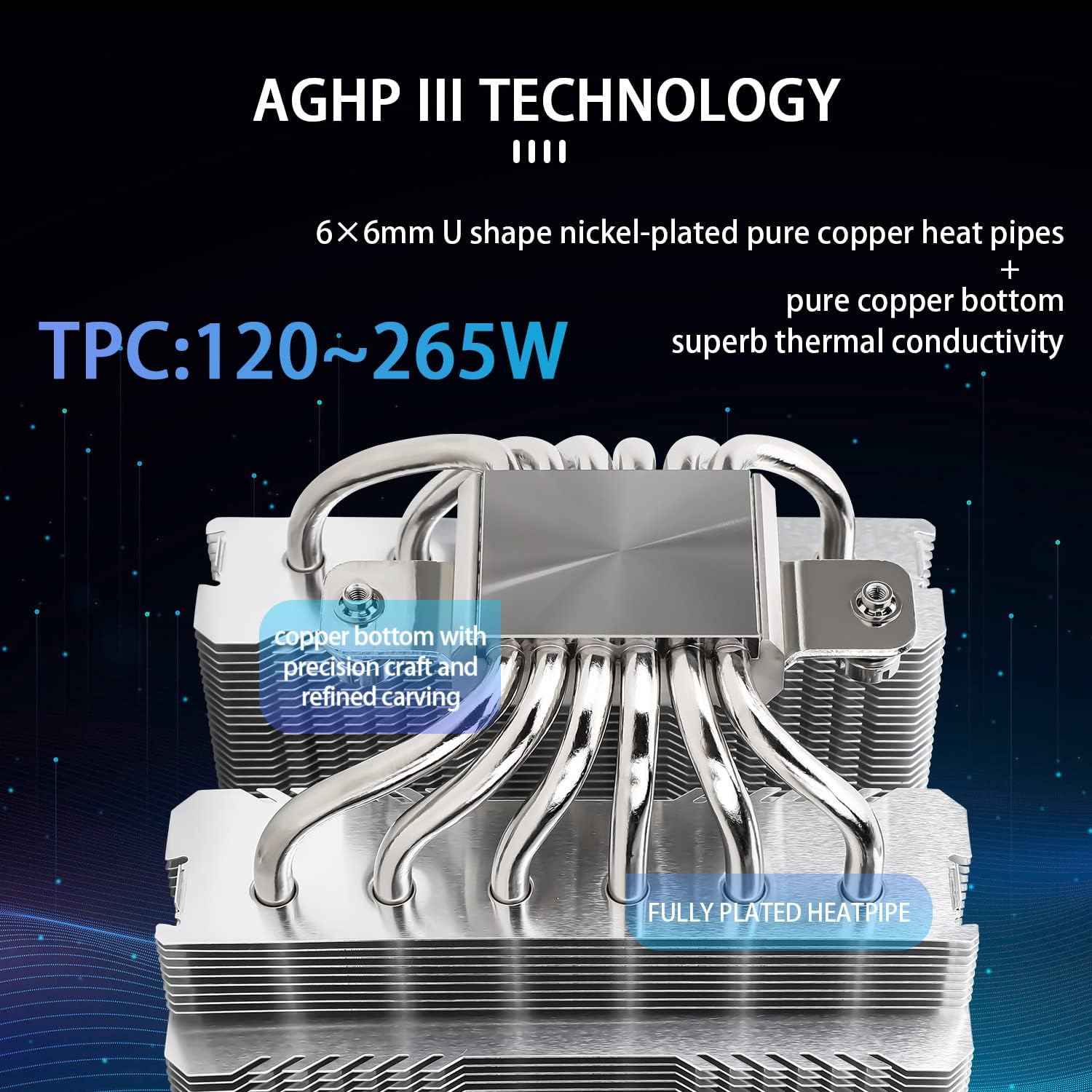
Your CPU — the central processing unit, the main chip that runs your programs — generates heat every second it’s working. That heat has to go somewhere, and a CPU cooler is the hardware responsible for pulling it away from the chip and exhausting it out of your case. Pick a cooler that’s undersized for your chip, and your system throttles (slows itself down automatically to avoid damage), gets loud, or both. Pick the right one and your chip runs at full speed, quietly, for years. This guide is aimed at builders who already know roughly what they want — a high-end air tower like the Noctua NH-D15 or a 360mm AIO (All-In-One liquid cooler, a self-contained radiator-and-pump unit) — but are stuck on which choice actually fits their build, their chip, and their noise budget. We’ll name the tradeoffs, show the math, and give you a clear decision rule at the end.
Why “Thermal Budget” Is the Right Frame
Before comparing cooler categories, you need to know your CPU’s TDP — Thermal Design Power, the manufacturer’s rated heat output in watts under sustained load. It’s the floor, not the ceiling. Intel’s Core i9-14900K is rated at 125W base TDP, but under a full Cinebench multicore run it routinely sustains 250W+. AMD’s Ryzen 9 7950X is rated at 170W but can hit 230W in sustained workloads. Reviewers at Tom’s Hardware consistently document this gap between rated and sustained power draw in their CPU cooler roundups, and it’s the single most important number to internalize before you pick a cooler.
Your thermal budget is simple: how many watts can your cooler reliably dissipate, continuously, while keeping noise below your threshold and temperatures below ~85–90°C on the die? Everything else — aesthetics, pump noise, radiator placement — is secondary to that number.
The Two Contenders: What You’re Actually Choosing Between
Dual-tower air coolers (like the Noctua NH-D15 G2, be quiet! Dark Rock Pro 5, or Thermalright Phantom Spirit 120 SE) use a large aluminum-and-copper heatsink with two or three fans to move air across dense fin stacks. They have zero moving parts beyond the fans, no liquid, no pump, and no failure modes beyond a fan bearing eventually wearing out — which can take a decade.
360mm AIOs (like the Arctic Liquid Freezer III 360, ASUS ROG Ryujin III 360, or Corsair iCUE H150i Elite) route the CPU’s heat through a water block, pump it along flexible tubes to a 360mm radiator (three 120mm fans side by side), and dissipate it there. The larger surface area gives them a theoretical edge at very high sustained wattages and a measurable edge at controlling peak temperature spikes.
The Thermal Performance Gap (And When It Actually Matters)
Here’s the honest version of the air-vs-AIO debate that often gets lost in spec-sheet marketing:
By the numbers — sustained 250W load, top-tier coolers (aggregated from Tom’s Hardware and PC Magazine review data, early 2026):
| Cooler Type | Representative Model | Approx. CPU Delta-T at 250W | Fan Noise at Load |
|---|---|---|---|
| Dual-tower air | Noctua NH-D15 G2 | ~28–32°C above ambient | 35–40 dBA |
| 360mm AIO | Arctic Liquid Freezer III 360 | ~24–28°C above ambient | 33–38 dBA |
| 360mm AIO (premium) | ASUS ROG Ryujin III 360 | ~22–26°C above ambient | 34–39 dBA |
Delta-T is the difference between your CPU temperature and room temperature — lower is better, and it normalizes for seasonal room temp variation. At 250W sustained, a top dual-tower air cooler trails a mid-range 360mm AIO by roughly 4–6°C. That’s real, but it’s not transformative for most use cases. Where it matters: if your ambient is already 28°C (a warm room, summer), that 6°C gap can be the difference between staying under 90°C and occasionally hitting thermal throttle on an i9 or Ryzen 9.
Per Puget Systems’ workstation application notes, their production machines for video rendering and DaVinci Resolve workloads primarily use large air coolers in full-tower cases — prioritizing acoustic predictability and zero pump-failure risk over the marginal temperature advantage of liquid. That’s a meaningful data point from a company whose reputation depends on machines running without drama for years.
AnandTech’s archived deep-dives on cooling reach a similar conclusion: the performance gap between a well-matched air cooler and a 360mm AIO narrows dramatically once you control for fan curve tuning, case airflow quality, and ambient temperature. A mediocre 360mm AIO in a poorly ventilated case often outperforms its specs on paper and underperforms a well-placed dual tower in practice.
The Tradeoffs Nobody Puts in the Headline
Reliability and Failure Modes
Air coolers have one failure mode: a fan bearing wears out, which is a $10–$20 fan replacement. AIOs have three: pump failure (often silent until temperatures spike), tube micro-permeation over years leading to coolant loss, and radiator corrosion. Across aggregated long-run owner reviews on PC Magazine and TechRadar, AIO pump failures cluster around the 3–5 year mark on budget units, and 5–8 years on premium units. For a workstation that’s a production income tool — an editing rig, a 3D rendering machine, a machine learning box — that failure mode deserves weight. An air cooler that fails gives you a warning (fan noise changes). A pump that fails quietly can spike your CPU to thermal limits before you notice.
RAM and Case Clearance
Dual-tower coolers are tall — the Noctua NH-D15 G2 stands 168mm high, which eliminates a meaningful number of mid-tower cases and tightly specced ITX or mATX builds. They also overhang RAM slots, which matters if you’re running four DIMMs or tall RGB RAM sticks. The NH-D15 G2 specifically has an asymmetric design that accommodates most standard-height RAM, but you should verify clearance with your specific case and RAM before ordering. AIOs punt that problem to radiator mounting — a 360mm radiator requires a case with a 360mm top or front mount, and not every mid-tower offers that. Fractal Design’s Define 7, Lian Li’s PC-O11 Dynamic, and NZXT’s H7 Elite all support 360mm top mounts; smaller cases often don’t.
Noise Character
This is subjective but worth naming: air cooler noise is fan whoosh — broadband, easy to tune, stops the instant the fans ramp down. AIO noise includes the pump hum, which is a constant low-frequency noise floor that’s present even at idle. Owners consistently report that a well-tuned dual-tower air cooler is subjectively quieter in a home office setting than most AIOs at equivalent load, because the AIO’s pump noise is audible even when thermal demand is low. If you’re in a recording-adjacent workspace or a quiet home office, that matters.
Matching Cooler to CPU: The Practical Decision Matrix
Here’s the framework for the decision you’re likely actually trying to make:
If your CPU is a 65W–125W-class chip (Ryzen 7 7700X, Intel Core i7-13700, anything in the mainstream desktop tier): a high-quality single-tower or budget dual-tower handles this comfortably. You don’t need a 360mm AIO and you’d be paying for headroom you won’t use. The be quiet! Pure Rock 2, Thermalright Assassin X 120 R SE, or ID-Cooling SE-224-XT are well-regarded at this tier per TechRadar’s cooler roundups.
If your CPU is a 125W–200W chip (Ryzen 9 7900X, Intel Core i9-13900, i7-13700K in auto-boost): this is the overlap zone where both a premium dual-tower and a mid-range 360mm AIO perform competitively. Choose based on your case geometry, noise preference, and risk tolerance. The Noctua NH-D15 G2 and Arctic Liquid Freezer III 360 both land in this range with similar real-world delta-T scores per Tom’s Hardware’s 2025–2026 roundup.
If your CPU is 200W+ sustained (Intel Core i9-14900KS in all-core loads, Threadripper PRO series, or any chip you’re running with a generous power limit unlocked in BIOS): a 360mm AIO has a tangible advantage at keeping temperatures stable enough to avoid throttle under sustained multicore workloads. At this tier, the Arctic Liquid Freezer III 360 is routinely cited by Tom’s Hardware reviewers as the performance-per-dollar benchmark. The Corsair iCUE H150i Elite and ASUS ROG Ryujin III 360 add software control and aesthetics at a premium.
If your build is in an ITX case or a compact mATX: neither a dual-tower nor a 360mm AIO is your primary option. A 240mm AIO or a well-specced single tower (Noctua NH-U12A, be quiet! Shadow Rock 3) is the practical ceiling. Don’t try to force a 360mm into a case that wasn’t designed for it — reviewers at PC Magazine note that poor radiator placement (90° bends in tubes, exhaust-fighting airflow) can cost you more performance than the radiator size gains.
The Decision Rule
Here’s the clean version:
-
Air tower (dual-tower, premium tier) if: your CPU sustains under 200W, you value long-term reliability over marginal thermal headroom, you’re in a quiet workspace, or you’re building a workstation that needs to run for 5+ years without maintenance. Our recommendation in this category is the Noctua NH-D15 G2 for large cases, and the Thermalright Phantom Spirit 120 SE for tighter builds.
-
360mm AIO if: your CPU regularly sustains 200W+ under real workloads, your case has a dedicated 360mm mount in a favorable airflow position, you’re comfortable with the pump-failure risk window (or plan to replace it in 4–5 years as part of a refresh cycle anyway), or your aesthetic requirements favor a clean motherboard view. The Arctic Liquid Freezer III 360 is the value benchmark; step up to ASUS or Corsair only if you need the software ecosystem integration.
-
Neither is wrong in the 125W–200W overlap zone. If your case supports both and budget isn’t the constraint, the AIO gives you more thermal headroom for future chip upgrades; the air tower gives you silence and reliability. Both are defensible. Pick based on your use case’s priorities, not marketing copy.
The thermal budget math is simple once you know your chip’s real sustained wattage. Everything else is preference. Don’t let the aesthetics of a radiator drive you to a choice that doesn’t match your case, your noise floor, or your maintenance appetite.